Flat triangles
Triangles that have extreme aspect ratios are numerically instable as their orientation cannot be determined accurately. Processing tri-meshes that contain such triangles may result in artifacts. Your 3D structural model can show holes or inaccurate crosscutting relationships, which can be traced back in some cases to the presence of flat triangles.
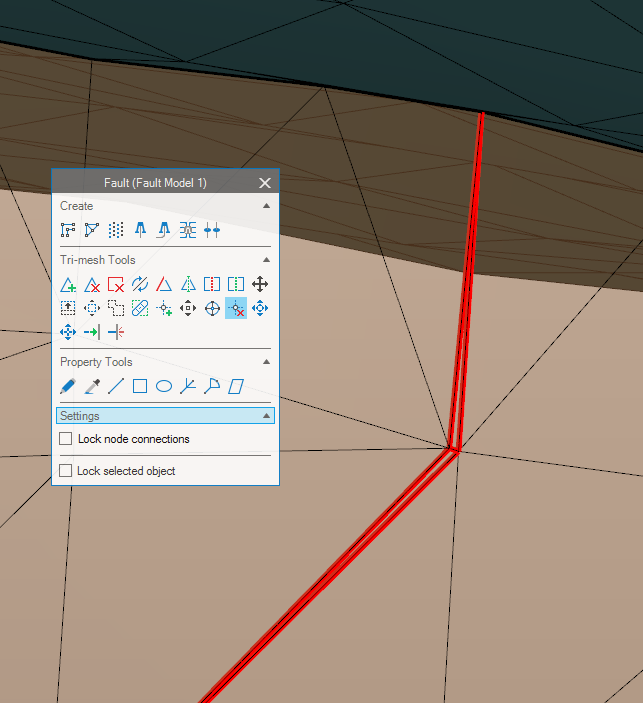
Flat triangles introduced close the edge of a fault due to the surface resampling. In this scenario you can use the Remove Node tool to resolve the issue. click to enlarge
Flat triangles may be introduced because of different reasons. The most common among them is related to resampling and triangulation of input data for which you may need to revisit your input data to trace back the origin of flat triangles.
A common step in the fault modeling is to resample your fault surfaces in the Assign Data step of the Fault Modeling workflow. As the data is resampled to the modeling parameters, flat triangles can be introduced, especially at the fault boundaries. Not all flat triangles will cause issues in the subsequent workflows, as the processing steps will account for many scenarios involving these items. However, if such situations are not resolved automatically, this tool can help identify the cause of artifacts.
Solving the issue using the (editing) tools
Flat triangles can be treated with different tools. An automated tool Collapse Flat Triangles can be run which is stored underneath the QC tools. For a manual assessment, use the Remove Node ( ) tool from the editing palette and click on the node.